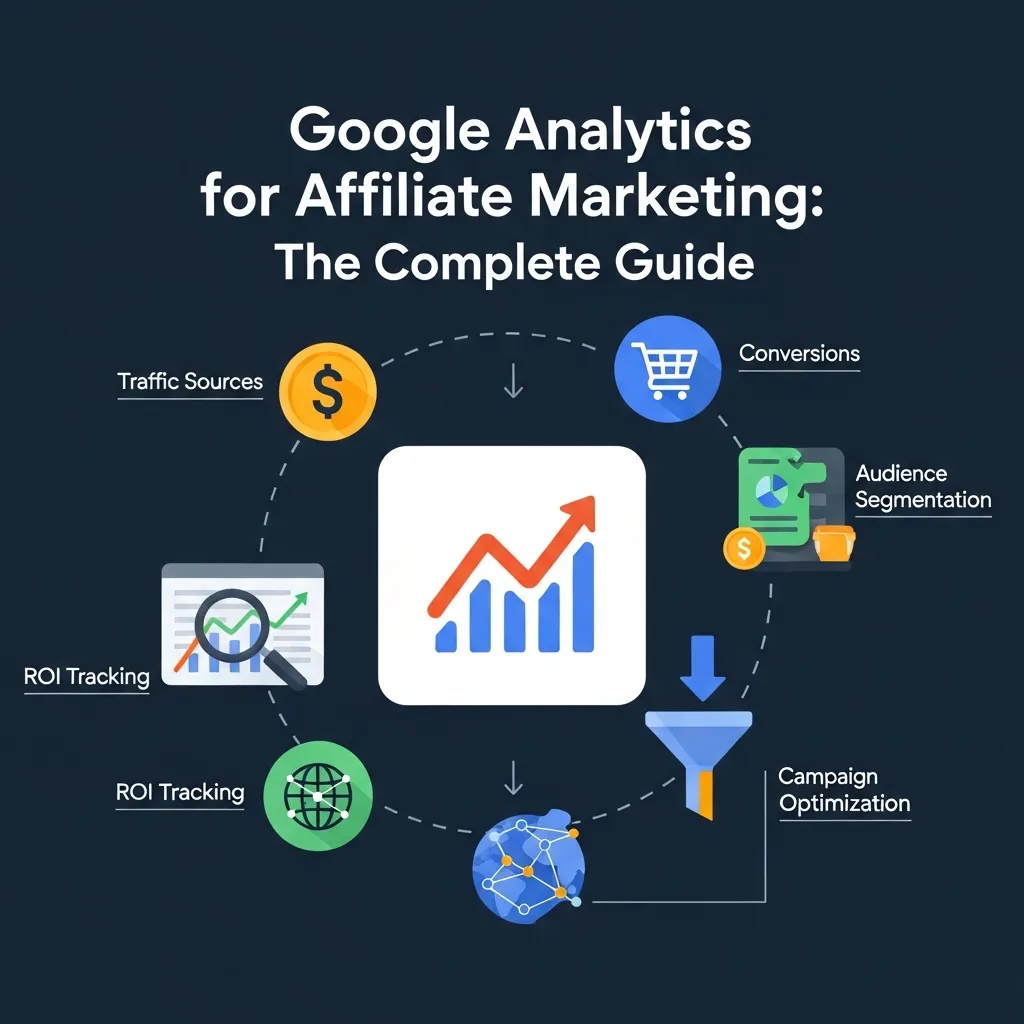
Google Analytics for affiliate marketing helps you track traffic sources, measure conversions, and optimize campaigns using UTM parameters, goal tracking, and audience insights. Setting it up correctly—and knowing which reports matter—can significantly improve your affiliate ROI.
Data is the difference between affiliates who scale and affiliates who guess. Without a reliable way to measure what’s working, you’re essentially running campaigns blind—spending time and money without knowing which efforts are actually converting.
Google Analytics for affiliate marketing gives you a window into every meaningful interaction on your site. Which traffic sources drive the most conversions? Which landing pages leak visitors? Which content leads users down the path to a purchase? These are questions every affiliate marketer should be able to answer—and Google Analytics makes that possible.
This guide covers everything from initial setup to advanced strategies, including UTM parameter configuration, goal tracking, audience segmentation, attribution modeling, and custom dashboards. Whether you’re just getting started with affiliate tracking or looking to sharpen your data interpretation skills, you’ll find actionable steps throughout.
By the end, you’ll have a clear picture of how to use Google Analytics to build a more profitable affiliate operation—one decision at a time.
Setting Up Google Analytics for Affiliate Success

Before any data can flow, you need a properly configured Google Analytics account. Head to analytics.google.com, create a new property, and install your tracking code on every page of your site. In Google Analytics 4 (GA4), this is done via the Global Site Tag (gtag.js) or through Google Tag Manager.
Once the tracking code is live, a few critical configurations will make your data far more accurate:
- Exclude internal IP addresses: If you’re browsing your own site, that traffic should not pollute your data. Add your IP under Admin > Data Streams > Configure Tag Settings > Define Internal Traffic.
- Set your timezone and currency: Align these with your primary market so that conversion values and session data reflect your actual business context.
- Integrate Google Search Console: Connecting Search Console to GA4 unlocks organic search queries, click data, and landing page performance in one place—invaluable for affiliates who rely on SEO.
Getting these basics right from the start saves hours of troubleshooting later.
Tracking Affiliate Campaigns: UTM Parameters Explained
UTM parameters are the backbone of affiliate tracking explained simply: they’re short snippets added to your URLs that tell Google Analytics exactly where a visitor came from and what campaign drove them there.
A complete UTM tag includes five components:
|
Parameter |
Purpose |
Example |
|---|---|---|
|
utm_source |
Traffic origin |
google, newsletter |
|
utm_medium |
Marketing channel |
cpc, email, social |
|
utm_campaign |
Campaign name |
summer_promo |
|
utm_content |
Ad variation |
banner_v1 |
|
utm_term |
Paid keyword |
affiliate+tools |
Use Google’s Campaign URL Builder to generate clean, consistent UTM links.
Best practices for UTM tagging:
- Use lowercase consistently—”Email” and “email” are tracked as separate sources.
- Keep campaign names short but descriptive.
- Never use UTM parameters on internal links—this resets the session attribution.
- Store all UTM URLs in a shared spreadsheet so your team uses consistent naming.
Consistent UTM tagging is what makes affiliate tracking explained at a granular level possible. Without it, conversions from your best campaigns may be misattributed to “Direct” traffic.
Goals and Conversions: Measuring Affiliate Performance
Traffic without conversions is just noise. Google Analytics for affiliate marketing becomes genuinely powerful when you define what a conversion actually means for your business.
Common KPIs for affiliate marketers:
- Click-throughs to partner offers
- Form submissions (lead generation)
- Purchase confirmation page visits
- Time spent on review pages
In GA4, conversions are configured as events. Here are the main types to set up:
- Destination goals: Triggered when a user reaches a specific URL, such as a “Thank you for your purchase” page.
- Event goals: Triggered by specific interactions—clicks on affiliate links, video plays, or form submissions.
- Engagement goals: Based on session duration or pages viewed per session, useful for measuring content engagement.
Don’t overlook micro-conversions—smaller actions like email sign-ups or affiliate link clicks that indicate intent before a final sale. Tracking these helps you understand the full psychology of affiliate marketing and where users are in the decision-making funnel.
Understanding Your Audience: Demographics, Interests, and Behavior

Knowing who visits your site is just as important as knowing how they got there. Google Analytics audience reports reveal the demographics, interests, geographic locations, and device preferences of your visitors.
How to use audience data strategically:
- Demographics and interests: If your audience skews toward 25–34-year-olds interested in personal finance, your content and affiliate offers should reflect that. Misaligned offers kill conversion rates.
- Geo-location: Identify top-performing countries or regions. Some affiliate programs pay higher commissions in specific markets—knowing your geographic breakdown helps you prioritize.
- Device usage: If 65% of your traffic comes from mobile, but your affiliate landing pages aren’t mobile-optimized, you’re leaving conversions behind.
- Behavior flow: This visual report shows how users navigate your site—and where they drop off. Use it to identify friction points between your content and your affiliate offers.
The psychology of affiliate marketing hinges on meeting your audience at the right moment with the right message. Audience reports give you the data to do exactly that.
Acquisition Reports: Where Does Your Affiliate Traffic Come From?
The Acquisition section in Google Analytics breaks down your traffic by source and medium. For affiliate marketers, this is where you measure the effectiveness of every promotional channel.
Traffic is grouped into the following default channels:
- Organic Search: Visitors from unpaid search results
- Paid Search: Traffic from Google Ads or other PPC campaigns
- Social: Visits from social media platforms
- Referral: Traffic from external websites linking to yours
- Direct: Users who typed your URL directly (or untagged traffic)
- Email: Traffic from email campaigns with UTM tags
By drilling into each channel, you can evaluate which sources drive the highest-quality traffic—not just the most traffic. A channel with fewer sessions but a 10% conversion rate is far more valuable than one generating thousands of low-intent visits.
This data also informs which CPA affiliate partnerships are worth scaling. If referral traffic from a specific partner site converts at twice the average rate, that relationship deserves more attention and potentially renegotiated commission terms.
Behavior Reports: What Are Users Actually Doing on Your Site?
Once traffic arrives, behavior reports reveal what happens next.
Key reports to monitor:
- Site Content > All Pages: Identifies your top-performing pages by pageviews, time on page, and bounce rate. Pages with high traffic but low engagement may need stronger calls to action or better affiliate link placement.
- Landing Pages: Shows which pages users enter your site on. A landing page with a high bounce rate is a conversion risk—especially if it’s directly tied to paid traffic.
- Site Speed: Slow load times increase bounce rates and hurt SEO rankings. Google recommends a page load time under 2.5 seconds. Use the Site Speed report to identify underperforming pages and prioritize fixes.
These reports, combined with UTM data, create a complete picture of the affiliate funnel—from first click to final conversion.
Real-Time Reports: Monitoring Campaigns as They Happen
Real-time reports show you what’s happening on your site right now—active users, their locations, the pages they’re viewing, and live conversion events.
This is particularly useful when:
- You’ve just launched a new affiliate campaign and want to confirm tracking is firing correctly.
- You’re monitoring a promotional push (a newsletter send, a social post) and need immediate feedback.
- You suspect a tracking issue and want to verify whether goals are triggering in real time.
Real-time data isn’t meant for long-term analysis, but it’s an essential sanity check for campaign launches.
Custom Reports and Dashboards: Tailoring Analytics to Affiliate Marketing
Default reports cover a lot of ground, but custom configurations let you focus on exactly what matters for your affiliate operation.
Custom reports allow you to combine dimensions and metrics in ways the default views don’t offer. For example, you could create a report showing UTM campaign name alongside conversion rate and revenue—something you can’t easily see in standard reports.
Custom dashboards pull key metrics into a single view. A strong affiliate marketing dashboard might include:
- Sessions by source/medium
- Goal completions by campaign
- Top landing pages by conversion rate
- Revenue by affiliate channel (if e-commerce tracking is enabled)
Dashboards can be shared with team members or clients, making reporting faster and more consistent. Among the best affiliate tracking tools, Google Analytics dashboards remain one of the most flexible and cost-effective options available.
Advanced Strategies for Google Analytics for Affiliate Marketing
Once the fundamentals are in place, these advanced techniques unlock deeper performance insights.
How does data segmentation improve affiliate campaign analysis?
Segmenting data means filtering your reports to analyze a specific subset of users. For example, you could segment by:
- Users who clicked an affiliate link but didn’t convert
- Mobile users from organic search
- Returning visitors who converted on a second visit
Segments reveal behavioral patterns that aggregate data hides.
What is attribution modeling and why does it matter for affiliate marketers?
Attribution modeling determines how credit for a conversion is assigned across multiple touchpoints. Google Analytics offers several models:
- Last click: Full credit to the final touchpoint before conversion
- First click: Full credit to the first touchpoint
- Linear: Equal credit across all touchpoints
- Data-driven: Uses machine learning to assign credit based on actual conversion patterns
For affiliates running multi-channel campaigns, last-click attribution often undervalues early-funnel content like blog posts or review articles. Switching to a linear or data-driven model gives a more accurate picture of what’s actually driving results.
How do secondary dimensions add granularity to affiliate reports?
Secondary dimensions let you layer an additional variable onto any report. For example, add “Landing Page” as a secondary dimension to your Source/Medium report, and you’ll see not just where traffic came from—but which specific page that traffic landed on. This level of detail is critical for diagnosing underperforming campaigns.
How should affiliates integrate Google Analytics with Google Ads and CRMs?
Linking Google Analytics with Google Ads imports conversion data directly into your ad campaigns, enabling smarter bidding strategies. Connecting a CRM (via Google Tag Manager or a dedicated integration) allows you to track leads from first click through to closed deals—essential for affiliates in high-value verticals like finance or SaaS.
Master Google Assistant for Affiliate Insights
Voice search is reshaping how users discover content—and affiliates who adapt their strategy will have a meaningful edge. To master Google Assistant for affiliate insights, you need to understand how voice queries differ from typed searches.
Voice queries tend to be longer, more conversational, and often phrased as questions: “What’s the best budgeting app for beginners?” rather than “best budgeting app.” Structuring your content around these natural-language questions improves your chances of appearing in voice search results and Google’s AI Overviews.
To optimize for Google Assistant and voice search in the context of affiliate marketing:
- Add FAQ sections with direct, concise answers (which this post does)
- Use question-based H2 and H3 subheadings
- Aim for featured snippet eligibility by providing clear, structured answers to common queries
- Ensure your site loads quickly and is mobile-optimized—voice searches are predominantly conducted on mobile devices
Mastering Google Assistant for affiliate insights also means monitoring which conversational queries bring traffic to your site via Search Console, then creating content that directly answers those questions.
Troubleshooting Common Google Analytics Issues

Even a well-configured Google Analytics setup can develop problems. Here are the most common issues affiliate marketers encounter:
Missing data: Often caused by an incorrectly installed tracking code or ad blockers preventing data collection. Verify your tag is firing via Google Tag Assistant.
Incorrect goal tracking: If your goals show zero completions or unrealistically high numbers, check that your destination URLs match exactly—including any trailing slashes or URL parameters.
Attribution discrepancies: If your affiliate network reports different conversion numbers than Google Analytics, it’s usually due to cookie windows, cross-device tracking gaps, or UTM tag inconsistencies. Align your attribution windows and ensure all traffic is properly tagged.
Self-referral traffic: If your own domain appears as a referral source, you likely need to add it to your referral exclusion list under Data Streams settings.
Conclusion
Google Analytics for affiliate marketing is not a “set it and forget it” tool—it rewards consistent attention and ongoing refinement. From UTM parameter setup to attribution modeling, every layer of configuration gets you closer to understanding exactly what’s driving your affiliate revenue.
Start with the fundamentals: install your tracking code correctly, configure UTM tags consistently, and set up the goals that matter most to your business. Then move into audience analysis, acquisition reports, and behavior data to identify where your funnel is strong and where it’s leaking.
As you grow more comfortable with the platform, explore custom dashboards, data segmentation, and integrations with Google Ads and your CRM. These advanced techniques are what separate affiliates who are guessing from those who are genuinely scaling with confidence.
The data is there. The question is whether you’re using it.
Frequently Asked Questions About Google Analytics for Affiliate Marketing
What is Google Analytics for affiliate marketing, and why is it important?
Google Analytics for Affiliate Marketing is the process of using Google’s analytics platform to monitor traffic, user behavior, and conversions related to affiliate campaigns. It helps affiliate marketers make data-driven decisions, identify profitable traffic sources, and improve campaign performance over time.
How do I set up Google Analytics for affiliate marketing correctly?
To set up Google Analytics for Affiliate Marketing correctly, create a GA4 property, install the tracking code through your website or Google Tag Manager, connect Google Search Console, and filter out internal traffic. Starting with clean and accurate data makes it much easier to measure affiliate performance effectively.
What are UTM parameters, and how are they used in affiliate tracking?
UTM parameters are tags added to URLs that help Google Analytics for Affiliate Marketing identify where traffic is coming from. They allow affiliate marketers to track the performance of campaigns, emails, paid ads, and content promotions more accurately by showing which sources and channels generate clicks and conversions.
What are the best affiliate tracking tools alongside Google Analytics?
While Google Analytics for Affiliate Marketing is essential for understanding website traffic and behavior, many affiliates also use tools like Voluum, ClickMeter, and Post Affiliate Pro for deeper tracking. These platforms can provide additional insight into commissions, network-level performance, and campaign attribution.
How do I track affiliate link clicks in Google Analytics 4?
In Google Analytics for Affiliate Marketing, affiliate link clicks are typically tracked by creating a custom event in GA4 using Google Tag Manager. For example, you can set up an event such as “affiliate_click” whenever a user clicks a link that matches your affiliate URL pattern, then monitor those clicks in your reports.
What is attribution modeling, and which model is best for affiliates?
Attribution modeling in Google Analytics for Affiliate Marketing determines how credit is assigned to different touchpoints before a conversion happens. For affiliates who rely on blog content, email sequences, and multiple traffic sources, a linear or data-driven attribution model is often more useful than a basic last-click model.
How does the psychology of affiliate marketing connect to Google Analytics data?
The psychology behind Google Analytics for Affiliate Marketing comes from understanding how users behave before they convert. Analytics data shows which pages build trust, which content encourages clicks, and where visitors lose interest, helping affiliate marketers align their content with real buyer intent.
What are CPA affiliate partnerships, and how can Google Analytics help optimize them?
CPA affiliate partnerships pay affiliates for a specific action, such as a lead or sale. Google Analytics for Affiliate Marketing helps optimize these campaigns by showing which traffic sources, landing pages, and audience segments generate the highest conversion rates and best overall results.
How can I use audience segmentation in Google Analytics for affiliate marketing?
Audience segmentation in Google Analytics for Affiliate Marketing allows you to analyze specific groups of visitors separately, such as mobile users, returning visitors, or users from organic search. This makes it easier to discover hidden trends and identify which audience segments are most likely to click affiliate links and convert.
What is the Master Google Assistant strategy for affiliate insights?
When using Google Analytics for Affiliate Marketing, a strong strategy for Google Assistant and voice search is to structure content around conversational questions and clear answers. This can improve visibility in voice search results, AI Overviews, and featured snippets, helping affiliates attract more targeted traffic.
Why are there discrepancies between Google Analytics and my affiliate network’s data?
Discrepancies in Google Analytics for Affiliate Marketing often happen because of differences in attribution windows, cookie tracking, ad blockers, cross-device behavior, or incomplete UTM tagging. Reviewing your setup carefully and keeping campaign tracking consistent can reduce these reporting gaps.
How often should I review my Google Analytics data as an affiliate marketer?
For Google Analytics for Affiliate Marketing, it’s best to check campaign performance daily when launching or scaling promotions, review traffic and conversion reports weekly, and conduct deeper monthly analysis for attribution, segmentation, and long-term optimization. Regular review helps you spot problems early and scale what’s working.